

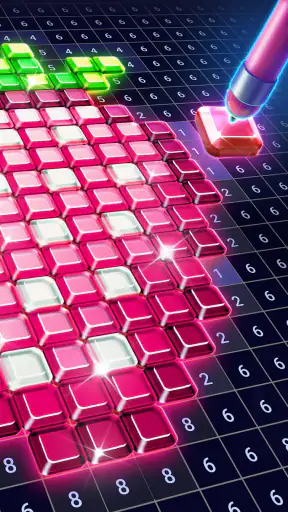

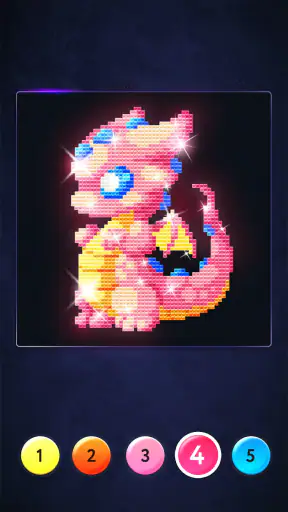
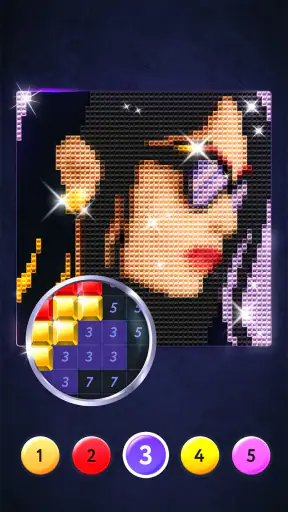
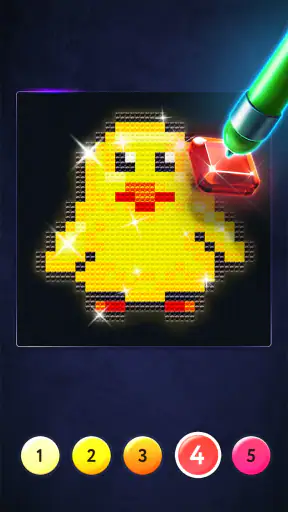
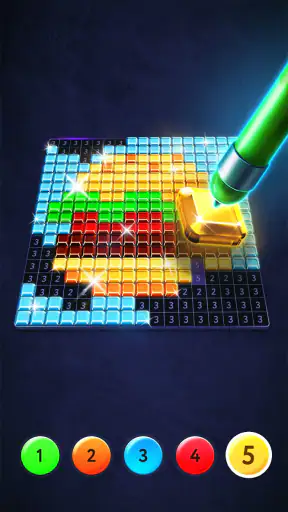
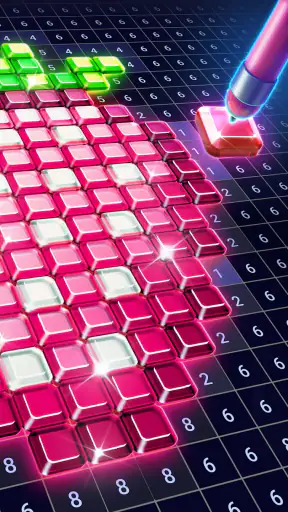

Magic Diamond Painting-Gem Art is the kind of coloring app that makes a strong first impression because it turns a familiar activity into something unusually easy to begin. I open it, choose an image, and start filling numbered areas with matching colors. There is no need to prepare paper, pencils, paint, or a clean table. The whole experience is built around small, repeatable taps, which makes it especially appealing when I want to relax without learning a complicated creative tool.
After spending time with it, though, I think its real test is not whether it feels pleasant during the first session. Many relaxing apps are enjoyable for a few days and then become icons I forget about. This one has a better chance of lasting because each picture offers a clear stopping point, but it also has limits that become easier to notice once the novelty wears off. My overall view is positive: it is a good fit for people who enjoy guided coloring and diamond-art aesthetics, while anyone looking for open-ended drawing or serious digital illustration should choose something more flexible.
From an easy first session to a repeatable habit
Why the first week feels so accessible
The strongest part of the opening experience is how quickly the app explains itself through interaction. The numbered coloring format is familiar, so I do not have to spend time understanding a complicated interface before making progress. I simply look for a marked section, select its color, and fill it. That direct loop creates an immediate sense of movement, even when the image contains many small areas.
I also like that the activity sits between passive entertainment and creative work. Watching a show can help me switch off, but it does not give me much to do. Drawing apps give me freedom, but that freedom can feel demanding when I am tired. Here, the choices are narrower and therefore less tiring. The image already provides the structure; my job is to complete it carefully.
That makes the app particularly useful in ordinary gaps in the day. I can use it after dinner, during a short break, or while waiting somewhere without carrying a physical craft project. A realistic routine would be completing a few sections before bed, stopping when attention starts to drift, and returning later without having to reset a workspace. The small sense of completion is more important than it sounds: finishing several areas gives the session a visible result instead of feeling like time simply disappeared.
The first week also benefits from the visual reward of diamond-style artwork. Even when I am not making artistic decisions myself, the finished image can feel polished because the numbered structure guides the color placement. That distinction matters. This is not a blank canvas where I need to invent a subject, composition, or palette. It is a guided craft activity, and its appeal comes from following the pattern accurately.
What I would learn before committing to it
The free entry point makes trying it straightforward, but the presence of in-app purchases means I would not assume every desirable piece of content or convenience is included without cost. Purchases range from $1.99 to $99.99 per item, so I would treat the free download as a chance to evaluate my habits rather than as a promise that I will never spend anything. If I become invested in collecting images, I would set a personal limit first.
The app is suitable for Everyone, which matches its gentle presentation and simple premise. That does not mean every person will enjoy it. Younger users may like the bright artwork and clear task, while adults may appreciate it as a quiet activity. For families, I would still look at the purchase settings on the device, especially if a child is using it independently. The age rating describes the general content, not whether the app matches every family’s preferred screen-time routine.
It runs on devices using OS 8.0 or later, so compatibility is fairly broad for many Android users. I would still check the device before planning to use it on an older phone or tablet. On a small screen, tiny sections may require more precision and patience than they would on a larger display. That is not a flaw in the coloring concept itself, but it affects comfort during longer sessions.
Three practical habits that improve the experience
My first useful habit is to avoid treating every image as a single sitting. The numbered areas naturally invite completionism, but forcing myself to finish a detailed picture can turn relaxation into a chore. I get more value by stopping after a satisfying cluster of sections and returning later. The app works better as a series of short sessions than as a project I must conquer in one evening.
Second, I would choose pictures according to my energy level rather than always picking the most detailed artwork. A complex image can be rewarding when I want a longer focus session, but it is a poor choice when I am already mentally tired. Starting with something manageable helps preserve the calming quality and prevents the first week from becoming an endurance test.
Third, I would use the app as a transition activity instead of filling every spare minute with it. Ten or fifteen quiet minutes after work can create a useful boundary between a busy day and personal time. If I open it automatically whenever I feel bored, the activity may lose its sense of occasion. Its recurring value comes from being a deliberate pause, not from constant use.
Whether it keeps earning space after the novelty fades
The month-to-month appeal
Long-term value depends on whether the basic action remains satisfying after the first images no longer feel new. In my experience, the answer is partly yes. The numbered process has a reliable rhythm: identify, tap, fill, and watch the picture become more complete. That rhythm is easy to return to because it does not demand a fresh creative idea every time I open the app.
That consistency is a strength for people who use art as a way to settle their attention. Some days I want to experiment with brushes and colors; other days I want a task with boundaries. Magic Diamond Painting-Gem Art belongs firmly in the second group. It gives me a defined visual goal and lets me focus on small decisions without asking me to produce an original concept.
Its appeal can also change with the way I use it. At first, I may focus on the finished image. Later, the process itself becomes the reason to return. This is similar to the attraction of physical diamond painting, but without the storage and cleanup involved in a real kit. I do not need to protect an unfinished canvas or keep tiny materials from being scattered. That convenience is the main reason a digital version can remain useful beyond its initial novelty.
Still, the app is unlikely to become a deep creative practice for me. Once I understand the coloring loop, there is little challenge in the traditional artistic sense. I am not developing drawing technique, studying light, or learning how to mix colors. The satisfaction comes from completion and concentration. If I want to improve as an illustrator, I would use a sketching or painting app instead and accept the steeper learning curve.
How it compares with paper, drawing apps, and other casual games
Compared with physical coloring books, this app is cleaner and more portable. I do not need to buy markers, sharpen pencils, or find a flat surface. The trade-off is that the tactile feeling is different. There is no paper texture, no physical collection of finished pages, and no material sense of placing a real diamond. People who specifically love the hands-on craft may find the digital version less rewarding.
Compared with open drawing tools, it is much less intimidating. A blank page can be liberating, but it can also create decision fatigue. Here, I begin with a prepared design and can concentrate on execution. The trade-off is creative control: I cannot expect the same freedom to sketch a personal idea, alter the composition, or build an image from nothing.
Compared with puzzle or matching games, the pace is gentler and the goal is more visual. There is less pressure to react quickly, and the finished artwork provides a stronger sense of a completed object. On the other hand, someone who needs changing rules, strategic depth, or a competitive challenge may lose interest sooner. This is a calm coloring routine, not a game built around mastery or high scores.
That comparison helps clarify who should skip it. I would not recommend it as a primary creative tool for an artist, as a substitute for a physical craft kit for someone who values tactile materials, or as a demanding game for players who need constant novelty. I would recommend it to a person who wants guided art, low-pressure concentration, and a convenient way to fill short periods with something more active than scrolling.
Maintenance: what the app asks from me over time
The maintenance burden is low in the physical sense, but not completely absent. There is no craft mess to clean up, yet the app still competes for attention with every other installed application. To keep using it, I need a simple routine: choose a realistic session length, avoid starting too many images at once, and return to the activity because I enjoy it rather than because unfinished pictures make me feel obligated.
Updates are part of that ongoing relationship. The current version is 2.29.6, and keeping an app current is generally sensible for compatibility and stability. However, updates can also change the feel of an interface or the way content is presented. I would not judge the app only by the first session; I would give myself a few weeks to see whether the workflow still feels comfortable after regular use.
There is also a financial maintenance question. Because the app is free to download but offers purchases, the easiest way to avoid accidental overspending is to decide in advance whether I am using it as a no-cost relaxation tool or as a collection I am willing to support. I would rather make that decision consciously than buy something simply because I am already invested in finishing a picture.
Another practical point is screen comfort. Detailed coloring encourages close attention, and long sessions on a phone can become tiring even when the activity itself is relaxing. I would lower the brightness to a comfortable level, take breaks, and use a larger screen when available. That is a small adjustment, but it makes the difference between a pleasant habit and an activity I associate with eye strain.
Where fatigue starts to appear
The same structure that makes the app approachable can eventually become repetitive. Selecting numbered areas and filling them is satisfying, but it does not produce much surprise once I have completed several pictures. If the artwork does not feel personally appealing, the task can start to resemble administrative checking rather than creative relaxation.
Small sections are another possible source of friction. Precision can make the finished result look neat, but it may also slow me down when I am using a small phone or when my attention is low. I would not choose the most intricate image for a tired commute or a restless evening. The app is calming only when the required concentration stays below the level of frustration.
There is a subtle difference between relaxing focus and compulsive completion. Numbered artwork makes it tempting to keep going until every area is filled, even after the enjoyable part of the session has ended. I find it healthier to stop when my attention drops rather than allowing the unfinished image to dictate my bedtime. The app should support a break, not turn into another task list.
Content variety also matters over the long term, although my interest would depend on how closely the available artwork matches my taste. A person who enjoys the general diamond-art look may be happy to browse and choose repeatedly. Someone with a very specific preference may find the selection less compelling once the most attractive designs have been completed. That is a personal fit issue, but it is important because recurring value comes from wanting to start the next image.
Who gets the most from it
I see the best match in adults who want a quiet evening ritual, people who enjoy coloring but do not want to manage physical supplies, and casual users who need an activity that can be paused easily. It can also suit someone trying to replace a few minutes of aimless scrolling with a task that leaves a visible result. The guided format is friendly to beginners because there is no expectation of artistic skill.
It may work well for a household tablet too, particularly when several people enjoy different kinds of pictures. I would keep expectations realistic: this is shared casual entertainment, not a collaborative art studio. Each person’s enjoyment comes from completing their own guided images and choosing a pace that feels comfortable.
I would be more cautious about recommending it to users who dislike repetition, have limited patience for small details, or want complete control over every mark. I would also steer serious artists toward a dedicated drawing application. The fact that this app belongs to Art & Design does not make it an illustration suite; its value comes from accessible, pre-structured coloring.
My lasting verdict
Developed by ZiMAD, the app has built a substantial audience, with over 5 million installs and a 4.7 average from around 20 thousand ratings. Those figures suggest that the basic idea connects with many users, but they do not replace personal testing. The important question is whether I enjoy the repeated act of coloring after the first attractive images have lost their freshness.
For me, it earns lasting space when I use it intentionally. A short session after a demanding day, a few completed sections before sleep, or a quiet weekend break all make sense. It does not need to become a daily obligation to be worthwhile. Its best quality is dependable simplicity: I can open it, understand what to do immediately, and leave with a small visual accomplishment.
My reservation is that the experience can flatten into repetition, especially for anyone seeking artistic growth or increasingly difficult gameplay. The purchase range also means I would pay attention to my spending habits rather than treating every appealing image as an automatic purchase. These are not reasons to dismiss it, but they are reasons to use it with clear expectations.
Overall, I would recommend Magic Diamond Painting-Gem Art as a free, low-pressure digital craft for guided coloring and relaxation. It is not the right choice when I want to draw freely, work with physical materials, or chase strategic challenge. But if I want a portable activity that turns a few quiet minutes into visible progress, it has enough practical convenience and repeatable comfort to remain useful after the first-week novelty fades.


